


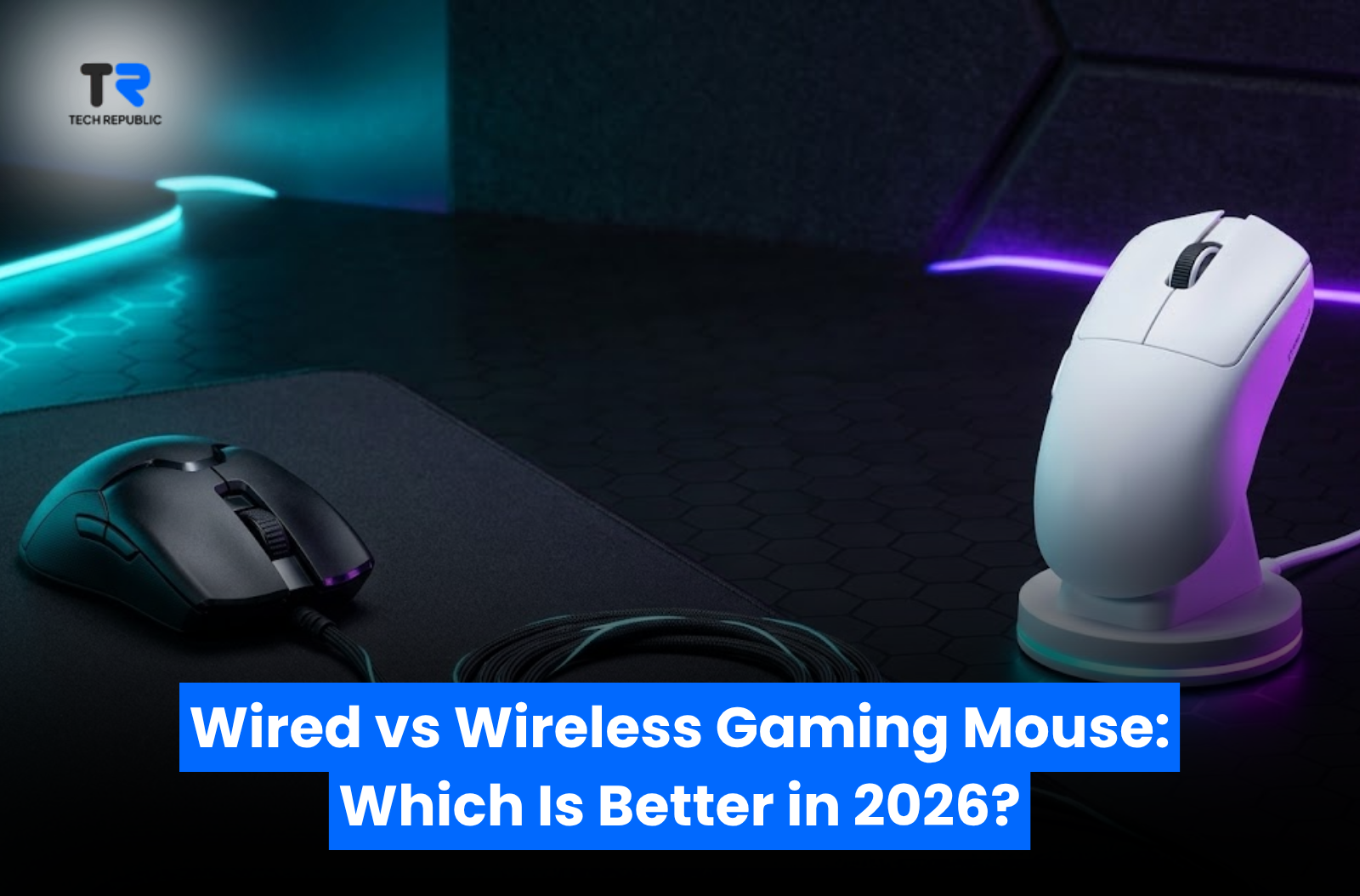
Wired vs Wireless Gaming Mouse: Which Is Better in 2026?
Post Views: 63
Choosing between a wired vs wireless gaming mouse used to be simple: competitive gamers picked wired mice for zero latency, while casual players chose wireless models for desktop clutter reduction. High input lag, heavy double-A batteries, and sudden signal drops made wireless pointers unsuitable for competitive titles like CS2, Valorant, and Apex Legends.
In 2026, technology has fundamentally changed this debate. Modern 2.4GHz wireless protocols deliver sub-1 millisecond response times matching wired connections, advanced sensors are widely implemented, and built-in lithium batteries have eliminated the weight penalty.
Deciding between a wired and wireless setup comes down to your budget, preference for weight, cable tolerance, and setup portability. This guide compares real-world latency, battery management, ergonomics, and current prices in Pakistan to help you choose the ideal option.
Quick Comparison: Wired vs Wireless Gaming Mice
| Feature | Wired Gaming Mouse | Wireless Gaming Mouse (2.4GHz) |
| Input Latency | Near-Zero (~0.125ms to 1ms) | Imperceptible (~1ms on 2.4GHz) |
| Weight Range | Ultra-light (50g – 75g standard) | Lightweight to Mid-weight (49g – 100g+) |
| Connection Stability | 100% stable, zero interference | Excellent on 2.4GHz dongle; variable on Bluetooth |
| Power Supply | Unlimited (Powered via USB cable) | Built-in rechargeable battery or AA/AAA |
| Portability | Cable clutter requires management | Cable-free, clean desk aesthetics |
| Price Point (PKR) | Higher specs at lower entry prices | Slightly higher price for wireless receivers/docks |
Technical Performance Breakdown
1. Latency and Connection Speed
The belief that wireless mice are inherently laggy is outdated when using 2.4GHz wireless tech via dedicated USB receivers. Standard 1,000Hz polling rates execute inputs every 1 millisecond on both wired and wireless setups.
-
Wired Advantages: Wired mice avoid radio-frequency interference entirely. Specialized competitive models, such as the Razer Viper 8K, support polling rates up to 8,000Hz (0.125ms latency), giving competitive FPS players maximum tracking smoothness on 240Hz+ gaming monitors.
-
Wireless Trade-offs: Bluetooth mode introduces noticeable input lag and is intended only for office productivity or daily browsing. Competitive gaming requires using a dedicated 2.4GHz wireless USB receiver.
2. Weight and Cable Drag
Lower mouse weight reduces wrist strain and allows faster flick shots in FPS titles.
-
Wired Mice: Lacking an internal battery, wired mice are naturally light. However, rigid or heavy cables create “cable drag,” requiring a mouse bungee to simulate a floating feel.
-
Wireless Mice: Modern wireless gaming mice use lightweight lithium-ion cells to minimize total mass. Many budget and mid-range wireless models now weigh under 65 grams while housing full wireless transmitters.
3. Power Logistics vs. Plug-and-Play
-
Wired Simplicity: Plug-and-play operation requires no charging routines, battery health management, or power-saving software.
-
Wireless Charging: Battery life on 2.4GHz wireless typically ranges from 40 to 100+ hours per charge depending on RGB lighting. Many modern setups include flexible USB-C paracord cables, allowing you to charge while playing.
Product Comparison in Pakistan
Here is how wired and wireless options stack up across different price tiers on TechRepublic PK:
| Model | Connection Type | Current Price (PKR) | Key Highlight | Best For |
| New Dell Optical USB Mouse | Wired | ₨ 550 | Entry-Level Optical | Office & Basic Use |
| BENGOO KM-1 Wireless | Wireless | ₨ 2,499 | Budget RGB Wireless | Casual Gaming & Office |
| EKSA EM600 RGB | Wired | ₨ 3,999 | Dedicated Sniper Button | Budget Gaming |
| Corsair Katar | Wired | ₨ 4,999 | Compact Ambidextrous | Small Hands / FPS |
| Razer Basilisk V3 | Wired | ₨ 8,499 | HyperScroll Tilt Wheel | Ergonomic & Productivity |
| Razer Cobra Lightweight | Wired | ₨ 8,999 | Gen-3 Optical Switches | Ultra-Lightweight FPS |
| Glorious Model O Wired | Wired | ₨ 8,999 | Honeycomb Ultra-light Shell | Fast FPS Flicking |
| Razer Viper 8K Ultralight | Wired | ₨ 9,999 | 8000Hz HyperPolling | Esports High-FPS |
| Logitech G502 HERO | Wired | ₨ 10,000 | HERO 25K Sensor | Heavyweight Ergonomic |
| Attack Shark X6 Lightweight | Wired / Wireless | ₨ 10,499 | Tri-Mode & Charging Dock | Overall Value Wireless |
| Razer DeathAdder V3 Ultra | Wired | ₨ 11,999 | Ergonomic Esports Shape | Competitive FPS |
| Attack Shark X3Pro 4K/8K | Wired / Wireless | ₨ 13,499 | High Polling Rate Wireless | High-Refresh Gaming |
| Razer Viper V2 Pro | Wired / Wireless | ₨ 15,999 | Ultra-light Esports Wireless | Pro Esports Wireless |
| Razer DeathAdder V3 Pro | Wired / Wireless | ₨ 17,999 | Focus Pro 30K Optical | Flagship Ergonomic |
Featured Models Breakdown
1. Budget Category: Wired vs Wireless Under 5,000 PKR
-
Wired Pick — Corsair Katar (₨ 4,999): Provides a precise optical sensor, solid structural rigidity, and zero latency at an entry-level price point.
-
Wireless Pick — BENGOO KM-1 Wireless (₨ 2,499): An affordable option for casual play and daily workstation use without cable management concerns.
2. Mid-Range Category: Options Under 10,000 PKR
-
Wired Picks — Razer Cobra (₨ 8,999) & Razer Viper 8K (₨ 9,999): The Razer Cobra utilizes optical switches rated for 90 million clicks to eliminate double-clicking, while the Viper 8K delivers an ultra-fast 8,000Hz polling rate for competitive high-refresh setups.
-
Wired Ergonomic Pick — Razer Basilisk V3 (₨ 8,499): Offers 11 programmable buttons and an ergonomic thumb rest for gamers who combine gaming with office work.
3. Mid-to-High Category: 10,000 to 20,000 PKR
-
Wireless Pick — Attack Shark X6 (₨ 10,499): Features tri-mode connectivity (2.4GHz wireless, Bluetooth, USB-C wired), an ultra-lightweight frame, and an included RGB magnetic charging base.
-
Pro Esports Wireless Picks — Razer Viper V2 Pro (₨ 15,999) & Razer DeathAdder V3 Pro (₨ 17,999): Industry-standard wireless performance offering low latency, extended battery life, and lightweight ergonomic designs.
Buying Decision: Which Should You Choose?
Choose a Wired Gaming Mouse if:
-
You operate on a strict budget (under Rs. 10,000 PKR) and want top-tier sensor specs or optical switches.
-
You prefer plug-and-play operation with zero battery charging routines.
-
You want high polling rates (up to 8,000Hz) for competitive high-refresh gaming displays.
Choose a Wireless Gaming Mouse if:
-
You prefer a clean, cable-free desk setup.
-
You play at lower DPI settings that require wide arm movements across a large mousepad without cable drag.
-
You move frequently between a home gaming desk, laptop bag, or workspace.
Frequently Asked Questions (FAQs)
1. Are wireless gaming mice fast enough for competitive FPS games?
Yes. Modern 2.4GHz wireless connections deliver 1,000Hz (1ms) report rates, making their latency performance virtually identical to standard wired mice.
2. How long do wireless gaming mouse batteries last?
Most modern wireless gaming mice last between 40 and 100 hours per charge over a 2.4GHz connection. Turning off RGB lighting extends battery life significantly.
3. What is the main advantage of optical switches over mechanical switches?
Optical switches use an infrared light beam to register clicks rather than physical metal contacts. This eliminates contact corrosion and double-clicking issues while lowering click latency.
4. Can I use a wireless gaming mouse while it is charging?
Yes. Most modern wireless gaming mice include a flexible USB-C charging cable that allows you to use the mouse as a wired pointer while recharging.
5. Why are wireless gaming mice generally more expensive in Pakistan?
Wireless mice include additional hardware components, such as internal lithium batteries, 2.4GHz transmitters, charging circuitry, and dedicated wireless receivers.
Final Recommendation
Performance latency is no longer a limiting factor when choosing between wired and wireless gaming mice. Modern 2.4GHz wireless models offer the speed and reliability needed for competitive play.
If you want a cable-free setup, smooth mouse pad gliding, and convenient dock charging, wireless options like the Attack Shark X6 or Razer Viper V2 Pro offer strong performance. If you prefer zero battery maintenance and maximum performance per rupee, wired options like the Razer Cobra or Razer Viper 8K remain reliable choices.
Explore live availability, warranty details, and pricing across the complete TechRepublic PK Gaming Mouse Catalog.
Share:
More Posts
Windows 11 24H2 Update Boosts AMD Ryzen 7000, 9000, and Zen 3 CPUs
September 1, 2024

Why These Budget Headphones Are Great Options For Gaming!
September 19, 2024

Why the Razer Wolverine Controller Lineup Stands Out
December 11, 2024

Why the Razer Huntsman V2 Analog is a Solid Option for Competitive Gaming
September 20, 2024

Why People Use Akko V3 Cream Yellow Switches on Their Keyboards
September 17, 2024